
In the realm of website development, two platforms have emerged as frontrunners: WordPress and Webflow. WordPress, launched in 2003, has grown from a simple blogging tool into a comprehensive content management system (CMS) that powers over 40% of all websites on the internet. Its open-source nature allows users to create anything from personal blogs to complex e-commerce sites, making it a versatile choice for many.
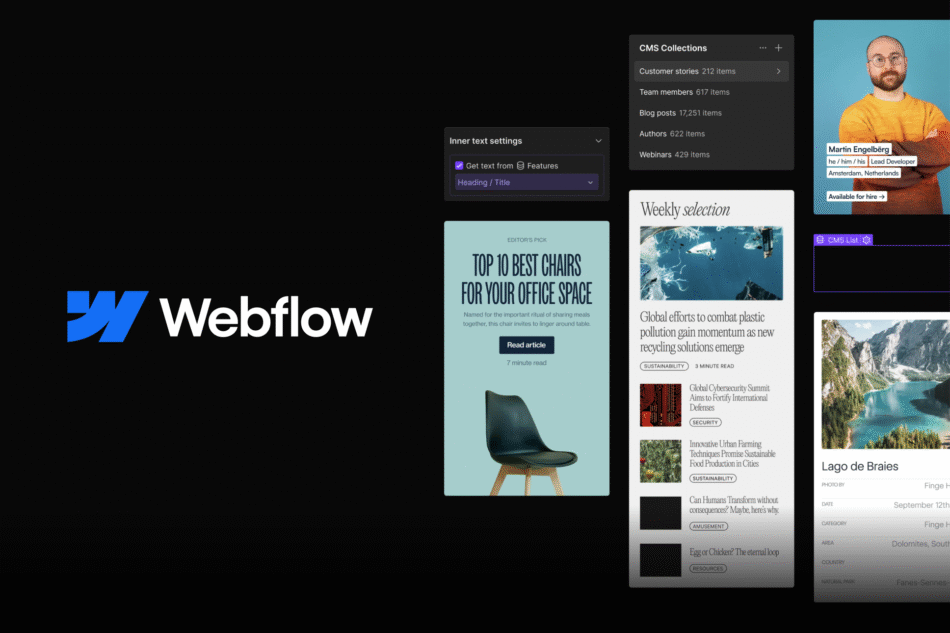
On the other hand, Webflow, which debuted in 2013, offers a more design-centric approach to web development. It combines the power of a CMS with a visual design tool, enabling users to build responsive websites without needing to write code. This unique blend appeals particularly to designers and agencies looking for a streamlined workflow.
The choice between WordPress and Webflow often hinges on the specific needs of the user. For those who prioritize content management and require extensive plugin support, WordPress is often the go-to solution. Conversely, Webflow attracts users who value design flexibility and a more hands-on approach to layout and aesthetics.
Understanding the fundamental differences between these platforms is crucial for anyone looking to establish an online presence, whether for personal use, business, or creative endeavors.
While many themes come with built-in customization options, users often need to delve into settings or even code to achieve their desired look and functionality. This complexity can be daunting for those without technical backgrounds.
In contrast, Webflow is designed with a focus on visual editing. Its user interface resembles that of graphic design software, allowing users to drag and drop elements onto the canvas. This approach makes it easier for designers to create visually appealing layouts without needing extensive coding knowledge. The real-time preview feature enables users to see changes as they make them, which can significantly enhance the design process.
However, while Webflow's interface is user-friendly for those familiar with design principles, it may present challenges for individuals who are more accustomed to traditional CMS environments.
Customization is one of the hallmarks of both WordPress and Webflow, but they approach it in different ways. WordPress boasts an extensive library of themes and plugins that allow users to modify their sites extensively. With thousands of free and premium themes available, users can find a design that suits their needs or create their own using page builders like Elementor or Beaver Builder.
Plugins further enhance functionality, enabling features such as SEO optimization, social media integration, and e-commerce capabilities. However, this abundance of options can lead to compatibility issues or performance slowdowns if not managed carefully. Webflow offers a different kind of flexibility through its design-first approach.
Users can create custom layouts using a visual editor that allows for precise control over every element on the page. This level of customization is particularly appealing for designers who want to implement unique styles without being constrained by pre-defined templates. However, while Webflow provides powerful design tools, it lacks the extensive plugin ecosystem found in WordPress.
Users may find themselves limited in functionality unless they are willing to integrate third-party services or use Webflow's built-in features.
Search engine optimization (SEO) is a critical consideration for any website owner looking to increase visibility online. WordPress has long been recognized for its SEO-friendly architecture. With plugins like Yoast SEO and All in One SEO Pack, users can easily optimize their content for search engines by managing meta tags, sitemaps, and keyword usage.
Additionally, WordPress's ability to create clean URLs and its compatibility with various SEO tools make it a strong contender in this area. Webflow also offers robust SEO capabilities but approaches them differently. The platform allows users to customize meta tags and alt text directly within its visual editor, making it straightforward to optimize individual pages.
Furthermore, Webflow automatically generates clean URLs and sitemaps, which are essential for search engine indexing. Performance-wise, Webflow tends to excel due to its hosting on fast servers with built-in content delivery networks (CDNs). This can lead to faster load times compared to some WordPress sites that rely on shared hosting or poorly optimized themes.
E-commerce functionality is increasingly important as more businesses move online. WordPress offers powerful e-commerce capabilities through plugins like WooCommerce, which transforms any WordPress site into a fully functional online store. With WooCommerce, users can manage products, process payments, and handle shipping logistics seamlessly.
The extensive range of extensions available allows for further customization of the shopping experience, catering to various business models from digital downloads to physical goods. Webflow has also made significant strides in e-commerce with its own built-in features. Users can create visually stunning online stores without sacrificing design quality.
The platform allows for easy product management and integrates payment processing through services like Stripe and PayPal. However, while Webflow's e-commerce capabilities are impressive for small to medium-sized businesses, they may not yet match the extensive features offered by WooCommerce in terms of scalability and third-party integrations.
WordPress itself is free to use; however, costs can accumulate through premium themes, plugins, hosting services, and domain registration. Users have the flexibility to choose from various hosting providers based on their budget and performance requirements. This can lead to significant variations in overall costs depending on the choices made.
Webflow operates on a subscription-based model with tiered pricing plans that include hosting as part of the package. While this simplifies budgeting by bundling services together, it may be perceived as more expensive than self-hosted WordPress solutions in the long run.
Additionally, Webflow offers a limited free plan that allows users to explore its features but restricts custom domain usage and e-commerce capabilities. Support options also differ; WordPress relies heavily on community forums and documentation due to its open-source nature, while Webflow provides dedicated customer support through email and chat for paid plans.
The community surrounding each platform plays a significant role in user experience and support. WordPress boasts one of the largest communities in the web development space, with countless forums, blogs, tutorials, and meetups dedicated to helping users navigate challenges. This wealth of resources makes it easier for newcomers to find solutions or learn best practices from experienced developers.
Additionally, numerous third-party services offer specialized support for WordPress users. Webflow's community is smaller but rapidly growing as more designers and developers adopt the platform. The company actively engages with its user base through webinars, tutorials, and an official forum where users can share tips and ask questions.
While the resources available may not be as extensive as those for WordPress yet, Webflow's focus on design means that many resources are tailored specifically for visual creators looking to maximize their use of the platform.
Selecting between WordPress and Webflow ultimately depends on individual needs and preferences. For those who prioritize content management capabilities and require extensive customization through plugins and themes, WordPress remains an industry standard with its vast ecosystem. Conversely, designers seeking a visually-driven platform that allows for precise control over layout may find Webflow more appealing.
Ultimately, understanding the strengths and weaknesses of each platform is essential in making an informed decision that aligns with your goals—whether you are building a personal blog, an online store, or a portfolio site showcasing your creative work. Each platform has its unique advantages that cater to different audiences; thus, careful consideration of your specific requirements will guide you toward the right choice for your online presence.
If you are interested in learning more about the differences between WordPress and Webflow, you may want to check out this article on component testing. This article discusses the importance of testing components in web development, which can be relevant when comparing the two platforms. It provides valuable insights into the technical aspects of building websites and may help you make an informed decision on which platform to choose for your next project.


